01
Compose the draft
Order the home sections and add approved text, document, photo, and link resources with explicit visibility.
Verify
Open this exact demo step The draft preview shows the intended content at desktop, tablet, and phone sizes.
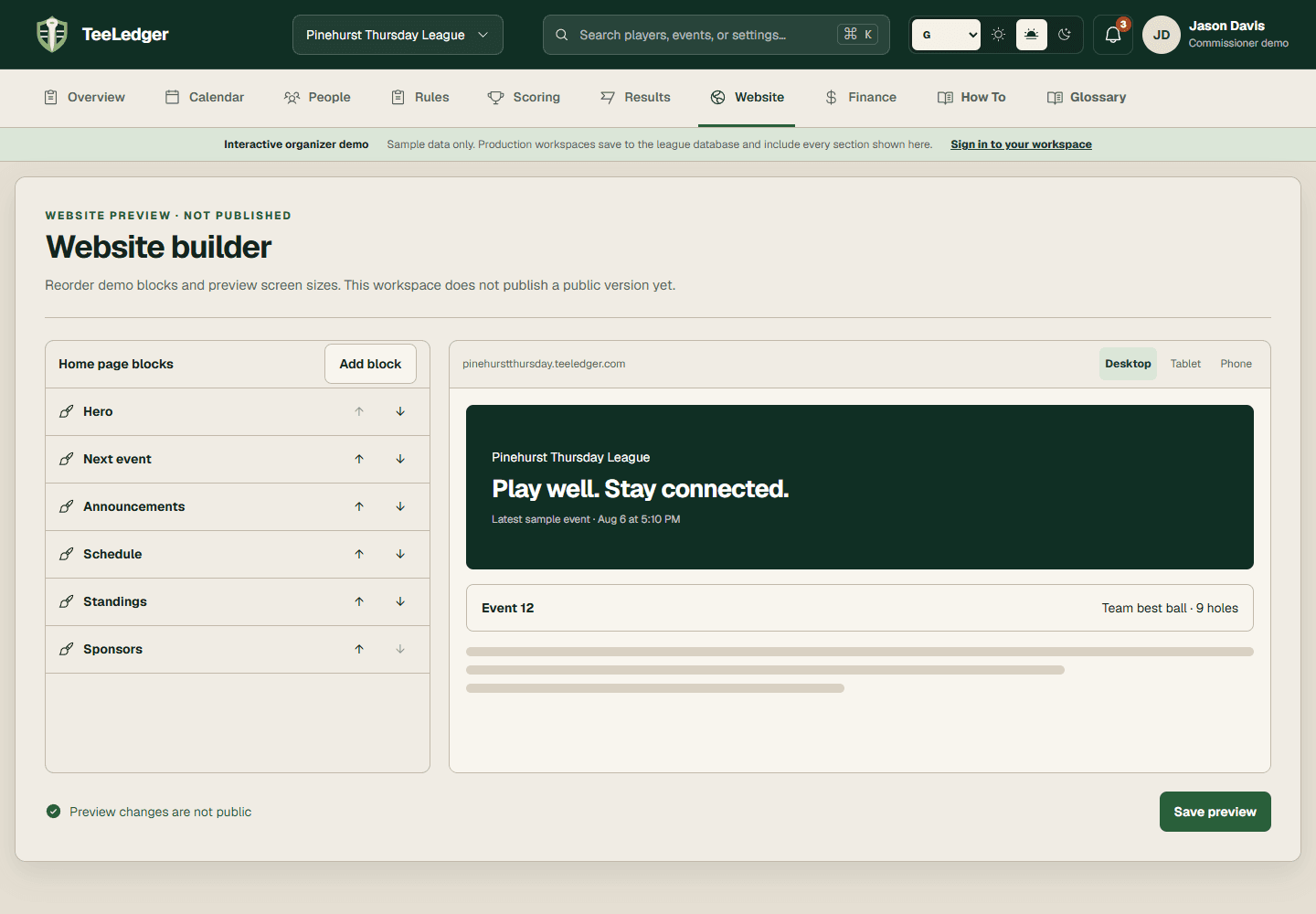
Compose structured public sections, control roster and resource visibility, preview the draft, and verify a versioned custom-domain publication.
Order the home sections and add approved text, document, photo, and link resources with explicit visibility.
The draft preview shows the intended content at desktop, tablet, and phone sizes.
Check roster fields, resource visibility, hostname state, theme, navigation, images, and the latest finalized result.
Private contact information and private resources are absent from the public preview.
Create a new site version, open the custom hostname, and test every changed link, image, event, and result on phone and desktop.
The custom domain serves the new version with no broken media, overflow, or console errors.